Connect Exchange to Google Antigravity & Gemini: agentic automation via MCP
In 2026 Google consolidated its developer and agent tooling under the Antigravity brand (desktop app, IDE, Antigravity CLI). Via MCP, Postgate AI becomes the Exchange tool for Antigravity's autonomous agents, 90+ tools for mail, calendar and contacts, server-side with each user's own permissions. For organisations, Gemini Enterprise also connects through the same MCP server. Only the consumer Gemini app (mobile/web) does not yet support custom MCP connectors.
- Path A: Google Antigravity (desktop app or Antigravity CLI)
- Path B: Gemini Enterprise (Google Cloud product, admin access)
- Your personal MCP address from the portal dashboard
Path A: Google Antigravity (desktop & CLI)
- 1
Copy your MCP address from the dashboard
Sign in to the Postgate AI portal. On the dashboard, under "Connect your AI assistant", you find your personal MCP address (format https://postgate-ai.com/mcp/your-company) with a copy button.
- 2
Open the MCP configuration
Antigravity 2.0, the IDE and the Antigravity CLI share one central file: ~/.gemini/config/mcp_config.json (global) or .agents/mcp_config.json per workspace. In the IDE you reach it via the "…" menu at the top of the agent panel → "Manage MCP Servers" → "View raw config".
- 3
Add Postgate AI as a remote server
Add Postgate AI under mcpServers. Important: Antigravity requires the serverUrl field (not url or httpUrl). Antigravity handles OAuth automatically via Dynamic Client Registration; on first access (in the CLI: run agy, /mcp, Authenticate) the browser opens to sign in with your portal account.
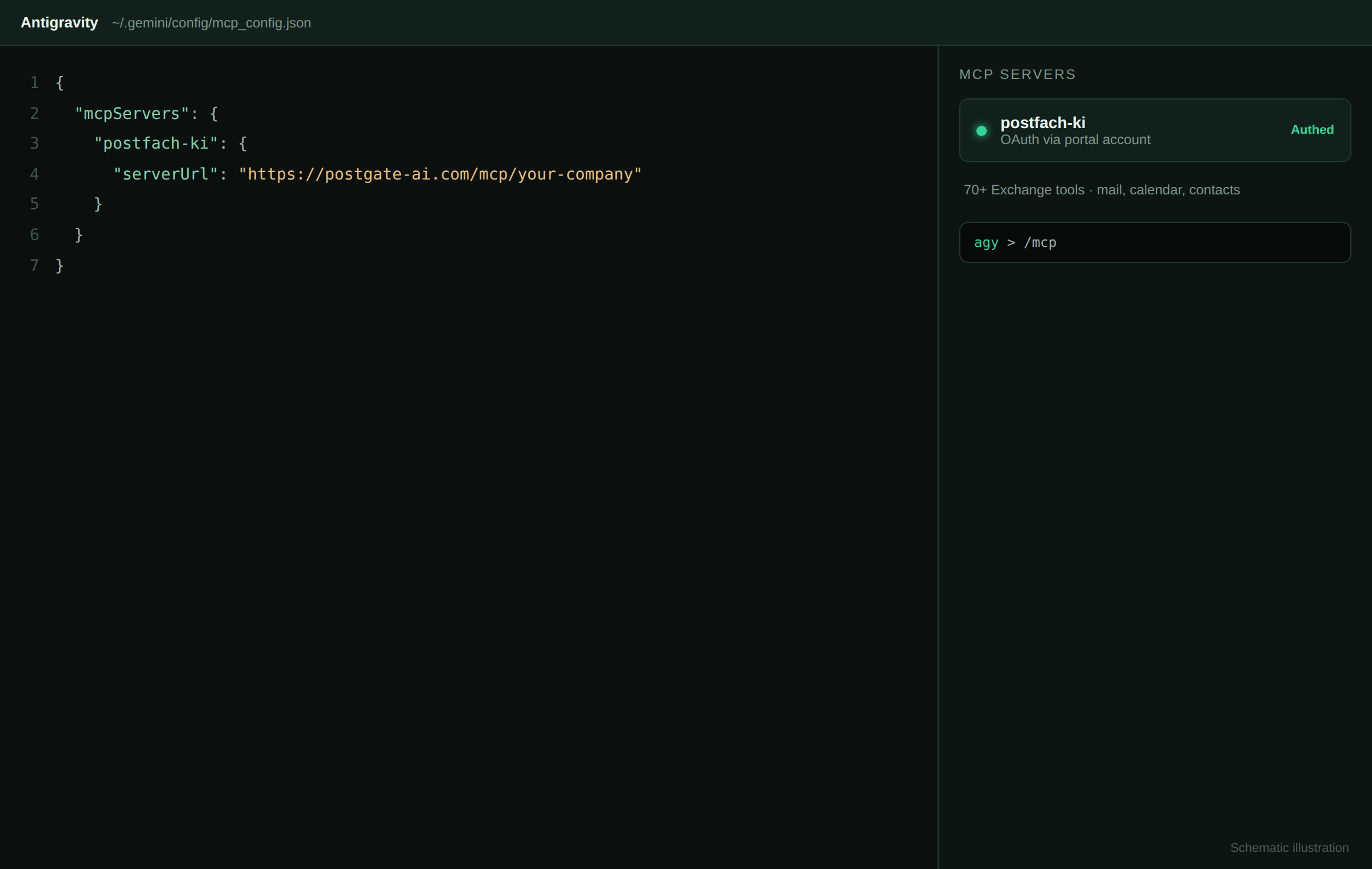
Schematic illustration, not an original screenshot. { "mcpServers": { "postfach-ki": { "serverUrl": "https://postgate-ai.com/mcp/your-company" } } }Access control: "Google (Antigravity)" must be enabled under "Allowed AI clients" on the portal dashboard (default: on). Note: Antigravity's OAuth for third-party remote MCP servers is not stable as of July 2026 (occasional "Unauthorized" despite a successful login; CLI and IDE share the same language server). We help with setup or a header-based interim path.
- 4
Path B: Gemini Enterprise (for organisations)
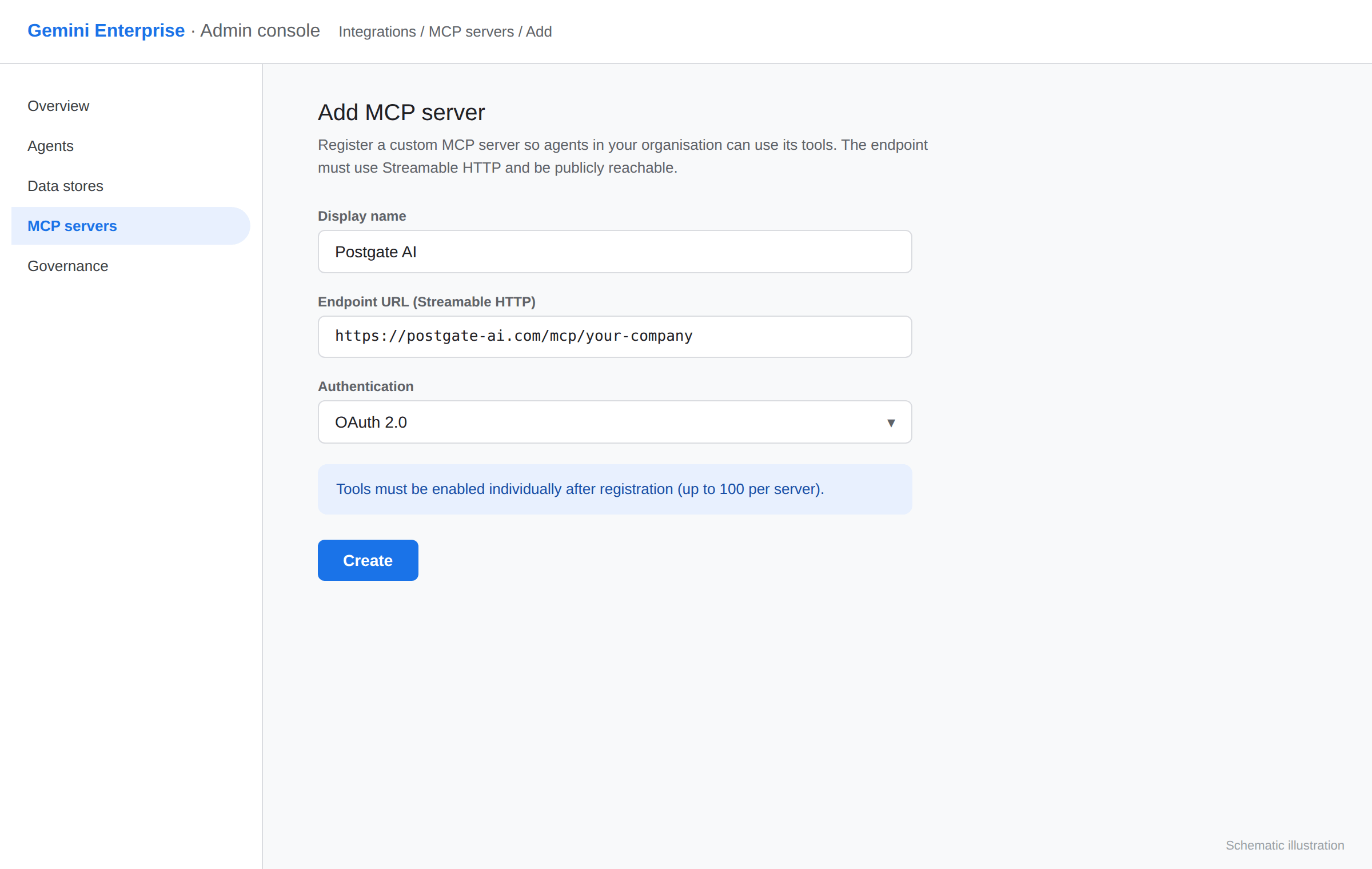
Gemini Enterprise is a separate, licensed Google Cloud product (not the consumer app). An administrator registers a custom MCP server in the Google Cloud console under integrations and enters your MCP address as the endpoint. Gemini Enterprise only accepts Streamable HTTP, Postgate AI serves it natively. Note: per-user OAuth support is currently limited; we are happy to check whether your setup fits.
Schematic illustration, not an original screenshot.
If something goes wrong
Antigravity does not connect
Check that you use serverUrl (not url or httpUrl) and that the MCP address exactly matches the one from your dashboard. "Google (Antigravity)" must be enabled in the portal dashboard. If it stays "Unauthorized" after login, that is a known client-side Antigravity bug with remote MCP OAuth. Contact us and we set up the header-based interim path.
No MCP entry in the Gemini app
That is correct, the consumer app currently offers no custom connectors. Use Antigravity, Gemini Enterprise or one of the fully supported assistants Claude, ChatGPT, Perplexity or Mistral (Vibe).
Frequently asked questions
- Has the Gemini CLI been shut down?
- For personal, Pro and Ultra tiers yes, since 18 June 2026. The successor is the Antigravity CLI (command agy). Enterprise customers with a Gemini Code Assist / Enterprise licence keep the classic Gemini CLI. Postgate AI works with both.
- When will MCP arrive in the regular Gemini app?
- Google has not announced an official date. As soon as it happens, your existing Postgate AI address will work there unchanged, we actively inform our customers.
- Does Postgate AI support Streamable HTTP?
- Yes, Postgate AI serves Streamable HTTP natively, exactly the transport Gemini Enterprise requires. Server-Sent Events (SSE) are not needed for this.
More guides
Planning Antigravity or Gemini Enterprise?
We check upfront with you whether your setup fits, just write to us.