Use Gemini with Exchange Server by Postgate AI - options and limits
Honest upfront: as of July 2026 the Gemini app (gemini.google.com) does not yet support custom MCP connectors. There are two supported paths though - Gemini Enterprise for organisations and the Gemini CLI for technical users. As soon as Google enables MCP connectors in the Gemini app, Postgate AI will work there without any changes.
- Path A: Gemini Enterprise (admin access to the Google Cloud console)
- Path B: Gemini CLI (terminal, for developers)
- Your personal MCP address from the portal dashboard
Path A: Gemini Enterprise (for organisations)
- 1
Copy your MCP address from the dashboard
Sign in to the Postgate AI portal. On the dashboard, under "Connect your AI assistant", you find your personal MCP address (format https://postfach-ki.de/mcp/your-company) with a copy button.
- 2
Register the MCP server in the console
An administrator opens the Gemini Enterprise administration in the Google Cloud console and creates a custom MCP server under integrations: choose a name, enter your MCP address as the endpoint. Gemini Enterprise only accepts Streamable HTTP - Postgate AI supports it natively.
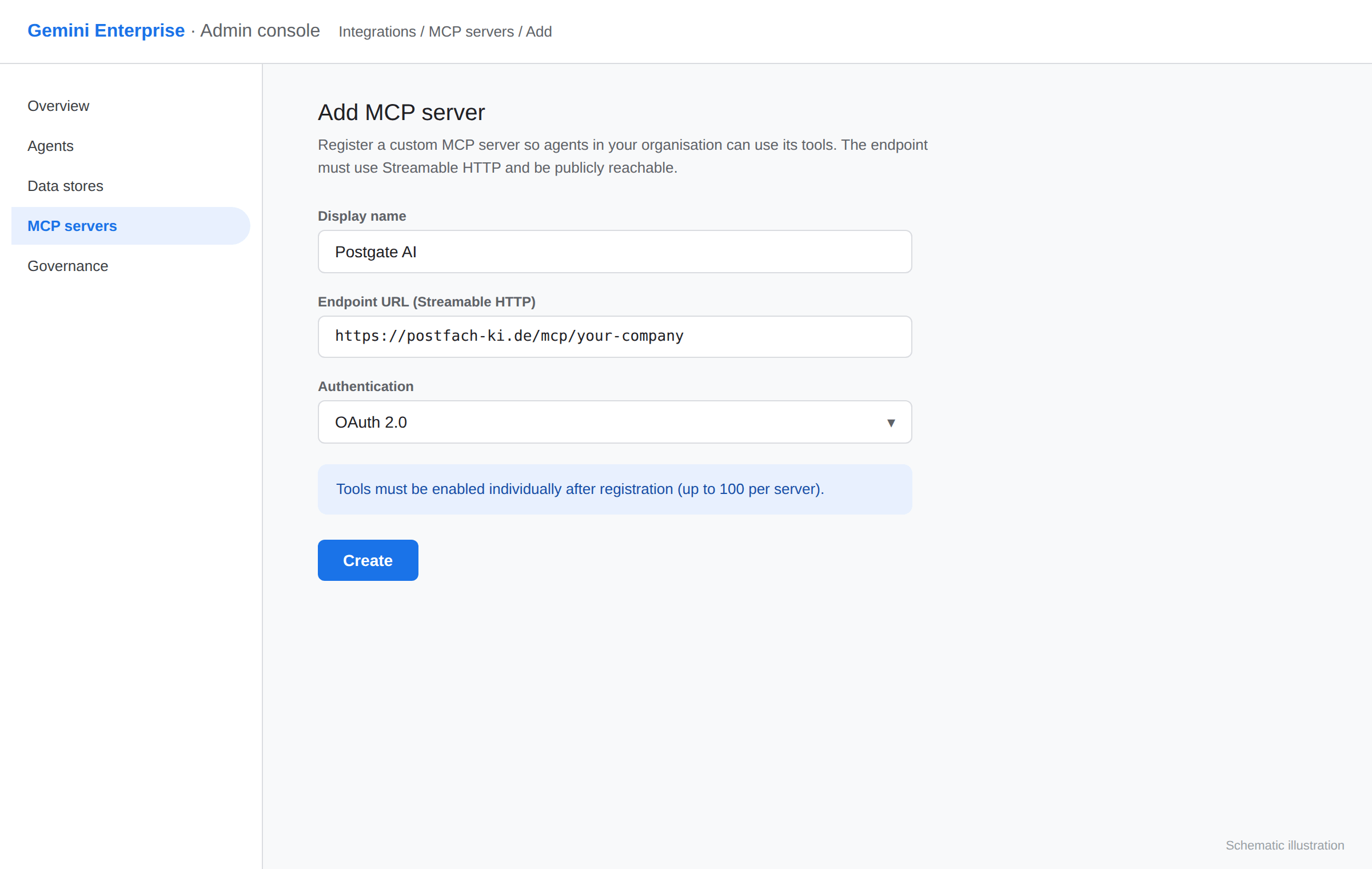
Schematic illustration, not an original screenshot. - 3
Enable tools and clarify authentication
After registration the admin enables the desired tools individually (up to 100 per server). Important: per-user OAuth support in Gemini Enterprise is currently limited - we are happy to check upfront whether your setup fits.
Gemini Enterprise is a Google Cloud product with its own licensing. Suitability depends on your organisation - contact us before rolling it out.
- 4
Path B: Gemini CLI (for developers)
The Gemini CLI (or its successor) supports remote MCP servers via a configuration file. Add the following entry to ~/.gemini/settings.json and restart the CLI. On first access the browser opens for the OAuth sign-in with your portal account.
{
  "mcpServers": {
    "postfach-ki": {
      "httpUrl": "https://postfach-ki.de/mcp/your-company",
      "authProviderType": "dynamic_discovery"
    }
  }
}
If something goes wrong
No MCP entry found in the Gemini app
That is correct - the consumer app currently offers no custom connectors. Use Gemini Enterprise, the Gemini CLI or one of the fully supported assistants Claude, ChatGPT or Perplexity.
CLI does not connect
Check the JSON for typos (httpUrl, not url) and that the MCP address exactly matches the one from your dashboard.
Frequently asked questions
- When will MCP arrive in the regular Gemini app?
- Google has not announced an official date. As soon as it happens, your existing address will work there unchanged - we actively inform our customers.
- What do you recommend for Gemini users until then?
- For everyday use without a terminal: Claude, ChatGPT or Perplexity - all three connect Postgate AI within minutes. You find the guides in the overview.
- Does Postgate AI support Streamable HTTP?
- Yes, along with SSE. Postgate AI therefore meets the transport requirement of Gemini Enterprise.
More guides
Planning Gemini Enterprise?
We check upfront with you whether your setup fits - just write to us.